OpenAI GPT-Image-1.5
GPT-Image-1.5 AI image generator
GPT-Image-1.5 excels at precise edits, imaginative transformations, and instruction-following with clean text rendering.
Generate or edit images in the live workspace below.
Live workspace
GPT-Image-1.5 image studio
Switch between text-to-image and image-to-image, upload references, then set output format and size before you generate.
Creator
Image generator
Capabilities
GPT-Image-1.5 highlights
From precision edits to dense text rendering, GPT-Image-1.5 delivers reliable control across complex image tasks.
Precision edits
Add, remove, merge, blend, or reposition elements while preserving distinctive details.
Creative transformations
Remix ideas with new elements, typography, and layouts while keeping key details intact.
Instruction following
Handles complex compositions with stable relationships between many objects and labels.
Text rendering
Renders dense, small text more reliably for infographics, code, and layouts.
Quality upgrades
Improved realism for crowded scenes, natural lighting, and usable production outputs.
How GPT-Image-1.5 works
A repeatable flow for precise edits and creative generation.
Pick a mode
Start from a prompt or edit with reference images.
Add references
Upload subjects, styles, or layout references to steer results.
Set output
Choose format and image size for delivery.
Generate & export
Iterate quickly, then download final outputs.
Precision edits and creative transformations
Image-to-image examples
Example 1
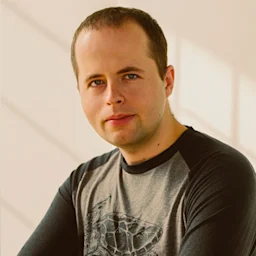
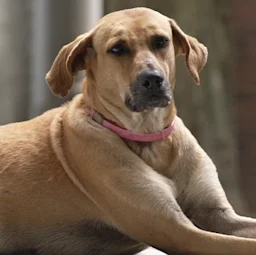
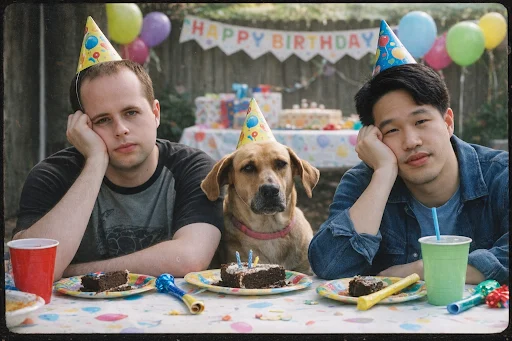
Combine subjects
Merge multiple references into a single 2000s film camera snapshot.

Example 2
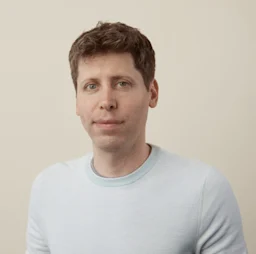
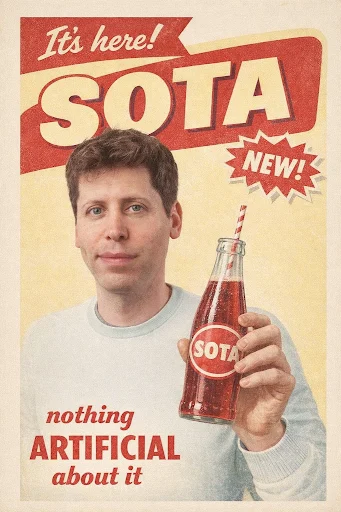
Vintage soda ad
Turn a portrait into a period-accurate soda advertisement.
Example 3
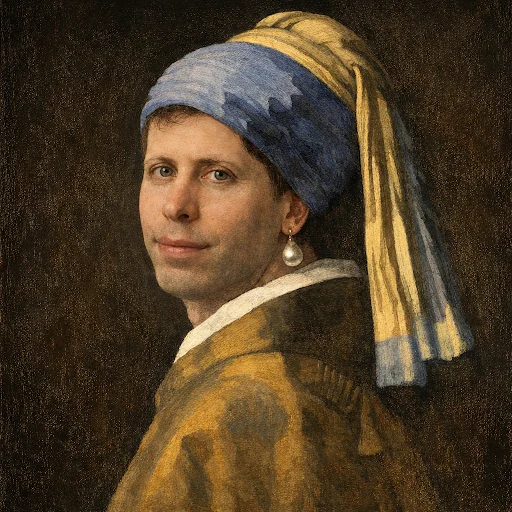
Classic painting
Place the subject into a famous portrait composition.
Instruction following, text rendering, and quality upgrades
Text-to-image examples
Example 1
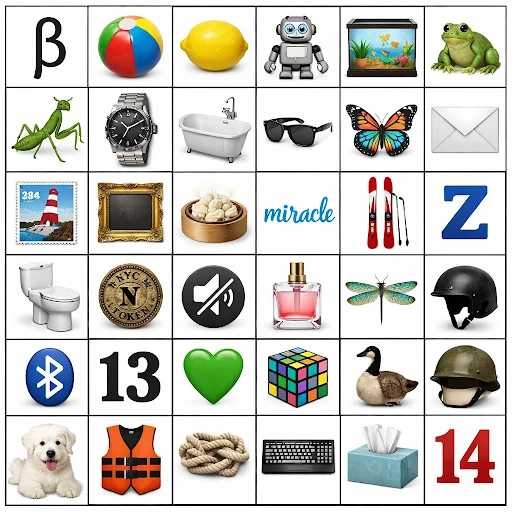
6x6 grid
A dense grid with 36 unique items, icons, and labels.
Prompt Set
- Make a 6 (columns) by 6 (rows) grid grid of: Row 1: the Greek letter beta, a beach ball, a lemon, a robot, a fish tank, a frog Row 2: a praying mantis, an expensive watch, a baththub, a pair of sunglasses, a colorful butterfly, an envelope Row 3: a stamp, a picture frame, a steaming dumpling, the word "miracle", a pair of skis, the letter Z Row 4: a toilet, a subway token, a mute icon, a bottle of perfume, a dragonfly, a skateboard helmet Row 5: a Bluetooth icon, the number 13, a green heart, a rubik's cube, a Canada goose, a soldier's helmet Row 6: a white dog, a life jacket, a knot, a keyboard, a tissue box, the number 14
Output Preview
Example 2
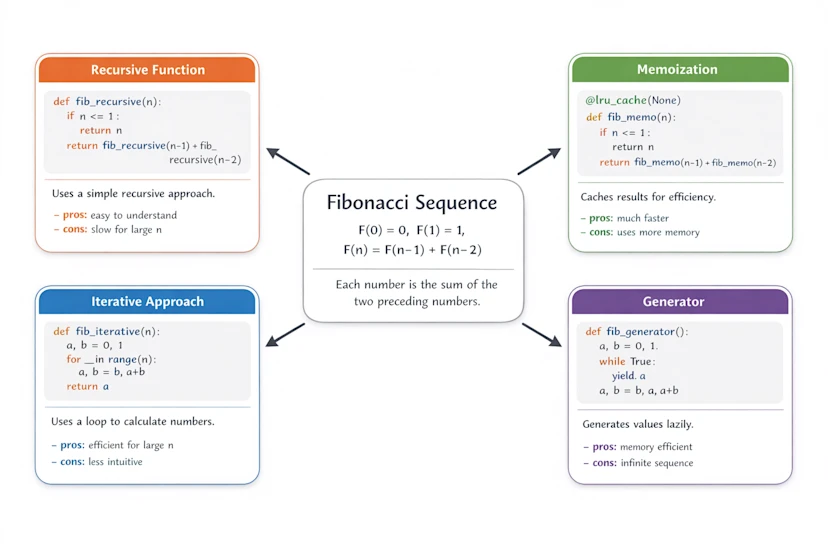
Fibonacci infographic
Code, math, and layout rendered with precise typography.
Prompt Set
- How does the Fibonacci sequence work? Explain it using both math and code. Place a simple mathematical definition and short explanation at the center of the image. Around the central math explanation, show four boxed Python implementations of the Fibonacci sequence, using different approaches or styles. Prefer Python solutions that rely on standard python library abstractions. Each implementation should be rendered inside a rounded-rectangle card with a subtle drop shadow and should contain, in order: - a clear title at the top - a code box with a light gray background showing the Python implementation (with correct Python indentation) - a short textual explanation - bullet points labeled “- pros:” and “- cons:” Draw clear arrows pointing from the central math explanation to each implementation card. Keep the layout clean and visually structured, using a modern, professional infographic style. Use a pure white background, a neutral base color palette, and give each implementation card a distinct accent color, with clear spacing throughout.
Output Preview
Example 3
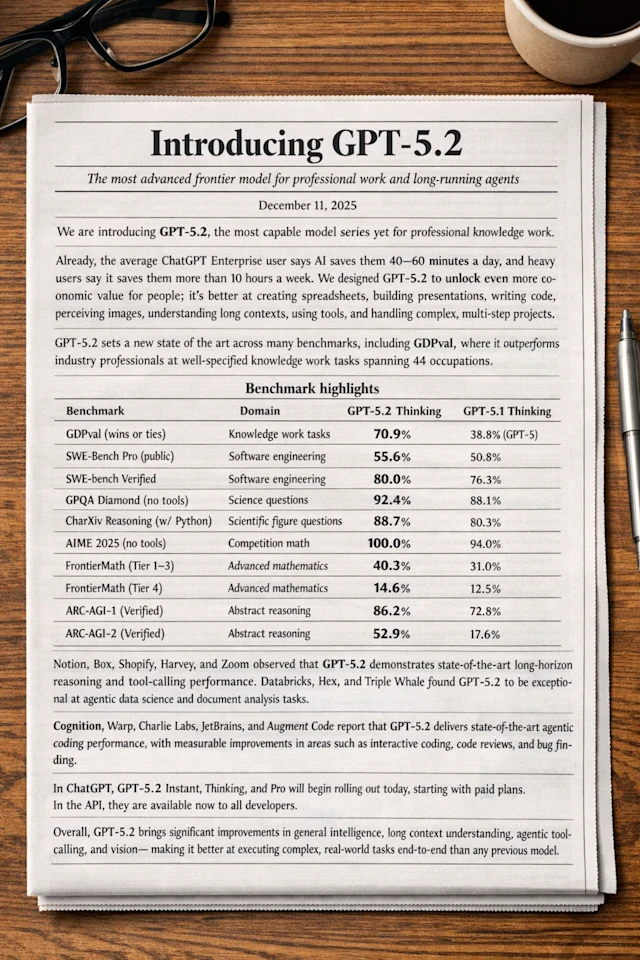
Markdown newspaper
Preserve markdown formatting in a tall newspaper layout.
Prompt Set
- There is a newspaper on a desk. The newspaper shows the markdown below laid out as a **natural** newspaper article. Preserve all content, formatting, and numbers exactly. The image should be tall. # Introducing GPT‑5.2 ### *The most advanced frontier model for professional work and long-running agents* **December 11, 2025** --- We are introducing **GPT‑5.2**, the most capable model series yet for professional knowledge work. Already, the average ChatGPT Enterprise user says AI saves them 40–60 minutes a day, and heavy users say it saves them more than 10 hours a week. We designed GPT‑5.2 to unlock even more economic value for people; it’s better at creating spreadsheets, building presentations, writing code, perceiving images, understanding long contexts, using tools, and handling complex, multi-step projects. GPT‑5.2 sets a new state of the art across many benchmarks, including GDPval, where it outperforms industry professionals at well-specified knowledge work tasks spanning 44 occupations. --- ## Benchmark highlights | Benchmark | Domain | GPT‑5.2 Thinking | GPT‑5.1 Thinking | |---|---|---:|---:| | GDPval (wins or ties) | Knowledge work tasks | **70.9%** | 38.8% (GPT‑5) | | SWE-Bench Pro (public) | Software engineering | **55.6%** | 50.8% | | SWE-bench Verified | Software engineering | **80.0%** | 76.3% | | GPQA Diamond (no tools) | Science questions | **92.4%** | 88.1% | | CharXiv Reasoning (w/ Python) | Scientific figure questions | **88.7%** | 80.3% | | AIME 2025 (no tools) | Competition math | **100.0%** | 94.0% | | FrontierMath (Tier 1–3) | Advanced mathematics | **40.3%** | 31.0% | | FrontierMath (Tier 4) | Advanced mathematics | **14.6%** | 12.5% | | ARC-AGI-1 (Verified) | Abstract reasoning | **86.2%** | 72.8% | | ARC-AGI-2 (Verified) | Abstract reasoning | **52.9%** | 17.6% | --- Notion, Box, Shopify, Harvey, and Zoom observed that GPT‑5.2 demonstrates state-of-the-art long-horizon reasoning and tool-calling performance. Databricks, Hex, and Triple Whale found GPT‑5.2 to be exceptional at agentic data science and document analysis tasks. Cognition, Warp, Charlie Labs, JetBrains, and Augment Code report that GPT‑5.2 delivers state-of-the-art agentic coding performance, with measurable improvements in areas such as interactive coding, code reviews, and bug finding. In ChatGPT, GPT‑5.2 Instant, Thinking, and Pro will begin rolling out today, starting with paid plans. In the API, they are available now to all developers. Overall, GPT‑5.2 brings significant improvements in general intelligence, long-context understanding, agentic tool-calling, and vision—making it better at executing complex, real-world tasks end-to-end than any previous model.
Output Preview
Example 4
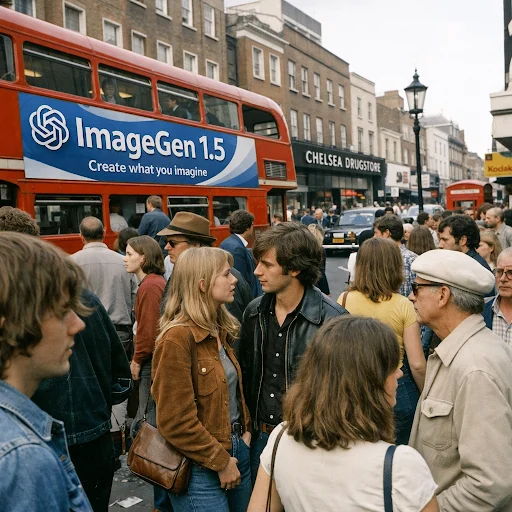
1970s London scene
Crowded street scene with clear faces and readable ad copy.
Prompt Set
- make a scene in chelsea, london in the 1970s, photorealistic, everything in focus, with tons of people, and a bus with an advertisement for "ImageGen 1.5" with the OpenAI logo and subtitle "Create what you imagine". Hyper-realistic amateur photography, iPhone snapshot quality…
Output Preview
Example 5
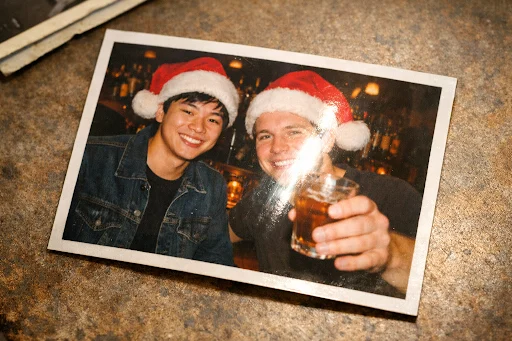
Flash glare photo
Printed retro photo with glare, border, and subtle rotation.
Prompt Set
- Generate an image of a printed retro photo of a young asian man and a young white man in santa hats at a bar, one of them is holding a drink. There should be camera flashlight glare visible on the printed photo. The printed photo should also have a thin white border visible, and should be slightly rotated
Output Preview
GPT-Image-1.5 FAQ
Answers about GPT-Image-1.5 usage and outputs.

Create visuals with GPT-Image-1.5
Generate precise edits and high-quality images in Seedance.so Studio.